Sylius V2 - Template Customization with Twig Hooks
Sylius V2 brings significant improvements to template customization, particularly through the use of Twig Hooks. This feature allows developers to easily customize the user interface of an e-commerce site without directly modifying the system's core files.
Why Use Twig Hooks?
Twig Hooks provide a powerful and modular method to customize your site's appearance. By injecting content blocks at defined extension points, you can modify or add interface elements without touching the base code.
- Avoid Code Duplication: No need to rewrite entire templates.
- Maintain Clean Structure: Code remains easy to maintain and scalable.
- Update Compatibility: Your changes are not lost during Sylius updates.
What is a Twig Hook?
A Twig Hook is an insertion point defined in a template. Each hook can contain multiple hookables (the injected content).
Twig Code Example with a Hook
{% hook 'header.logo' %}
Configuring Twig Hooks
Configuration is handled in the sylius_twig_hooks.yaml file:
sylius_twig_hooks:
    hooks:
        'header.logo':
            'custom_logo':
                template: 'shop/custom_logo.html.twig'
Customizing a Specific Element: Logo Example
Instead of modifying the original file in the vendor folder, you define a Hook that points to your new template in templates/bundles/SyliusShopBundle/Layout/Header/_logo.html.twig.
Benefits of Twig Hooks in Sylius V2
- Modularity: Define reusable extension points across the application.
- Separation of Concerns: Separate appearance from underlying business logic.
- Simplicity: Just identify the hook and inject your content.
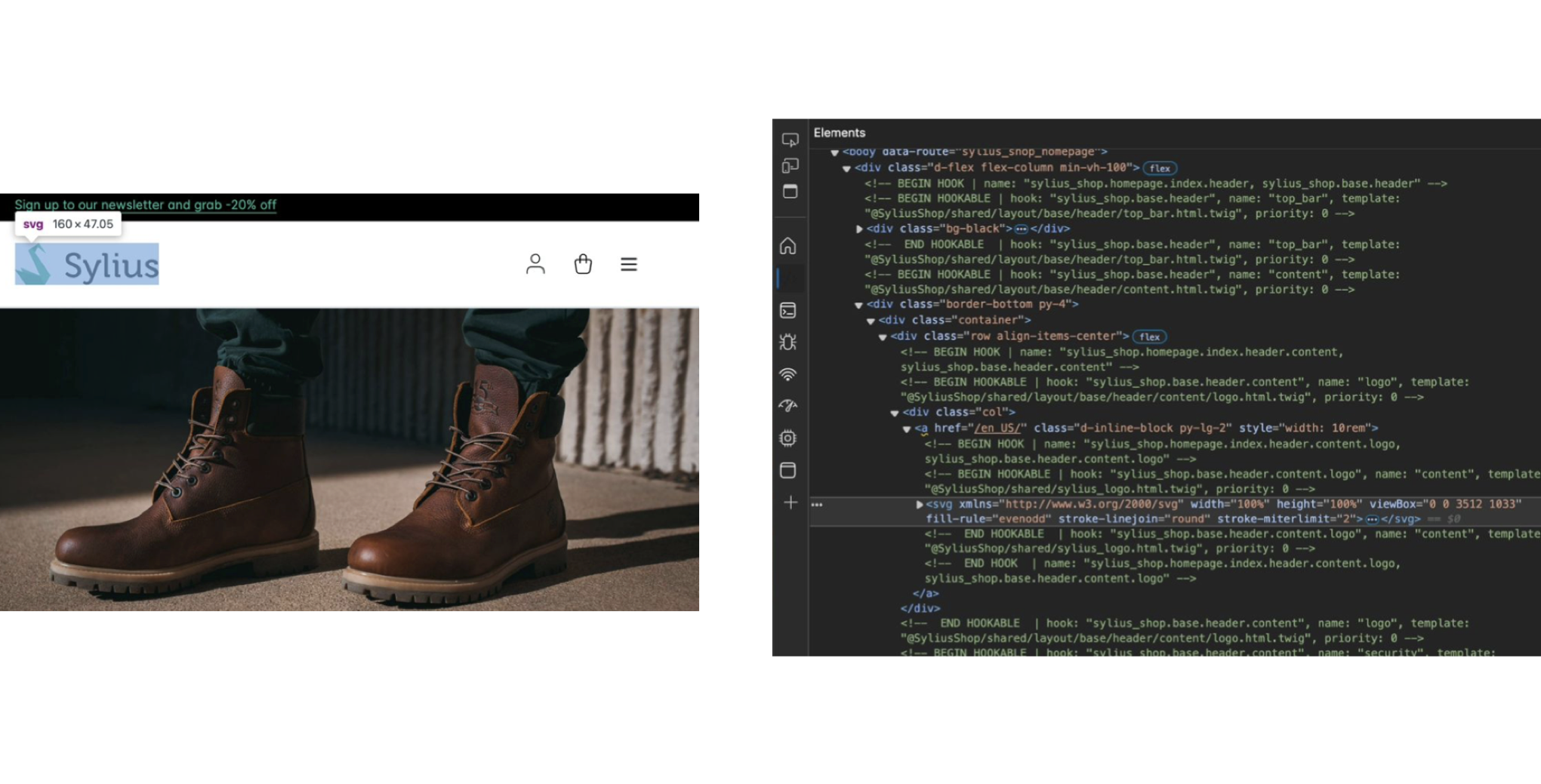
Template customization in Sylius V2 via Twig Hooks offers a flexible, clean, and modular way to adjust your e-commerce site's look while ensuring easier management of future updates.

No comments